Print orders
Follow the printed books your families order from the Print orders screen, read each status pill, and rest easy that printing and shipping are handled for you.
When a family orders a printed copy of one of your storybooks, the order lands on your Print orders screen. This is where you watch each book move from purchase to your family's doorstep. There is nothing for you to do here, printing, shipping, and customer support are all handled for you. This screen simply keeps you in the loop.
Opening Print orders
Print orders lives on your dashboard, the home screen of your Story Studio, where you create and publish your storybooks. Look along the quiet row of links near the bottom of the dashboard and tap Print orders (n) →. The number in that link is your current order count, so you can tell at a glance whether anything new has come in.
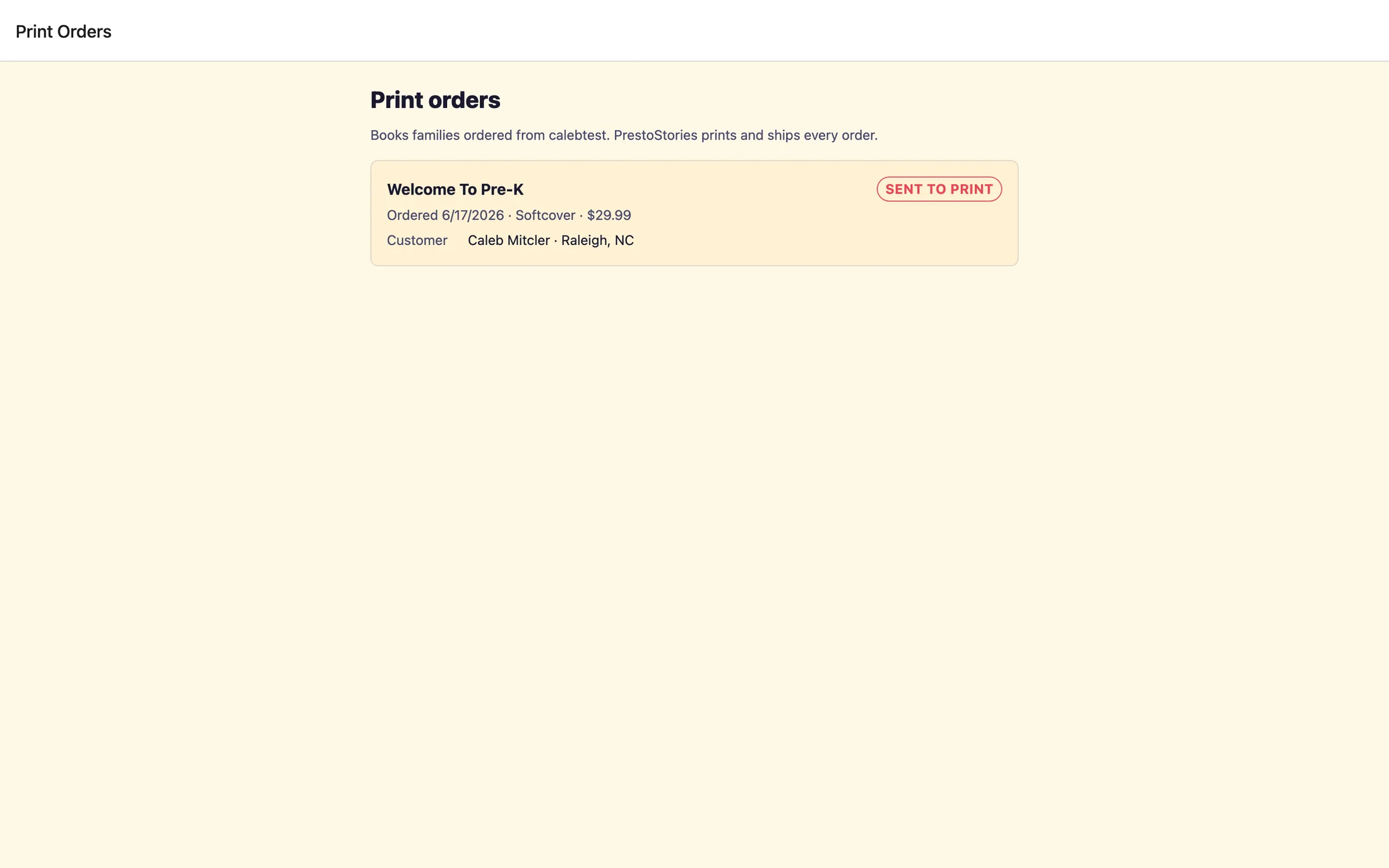
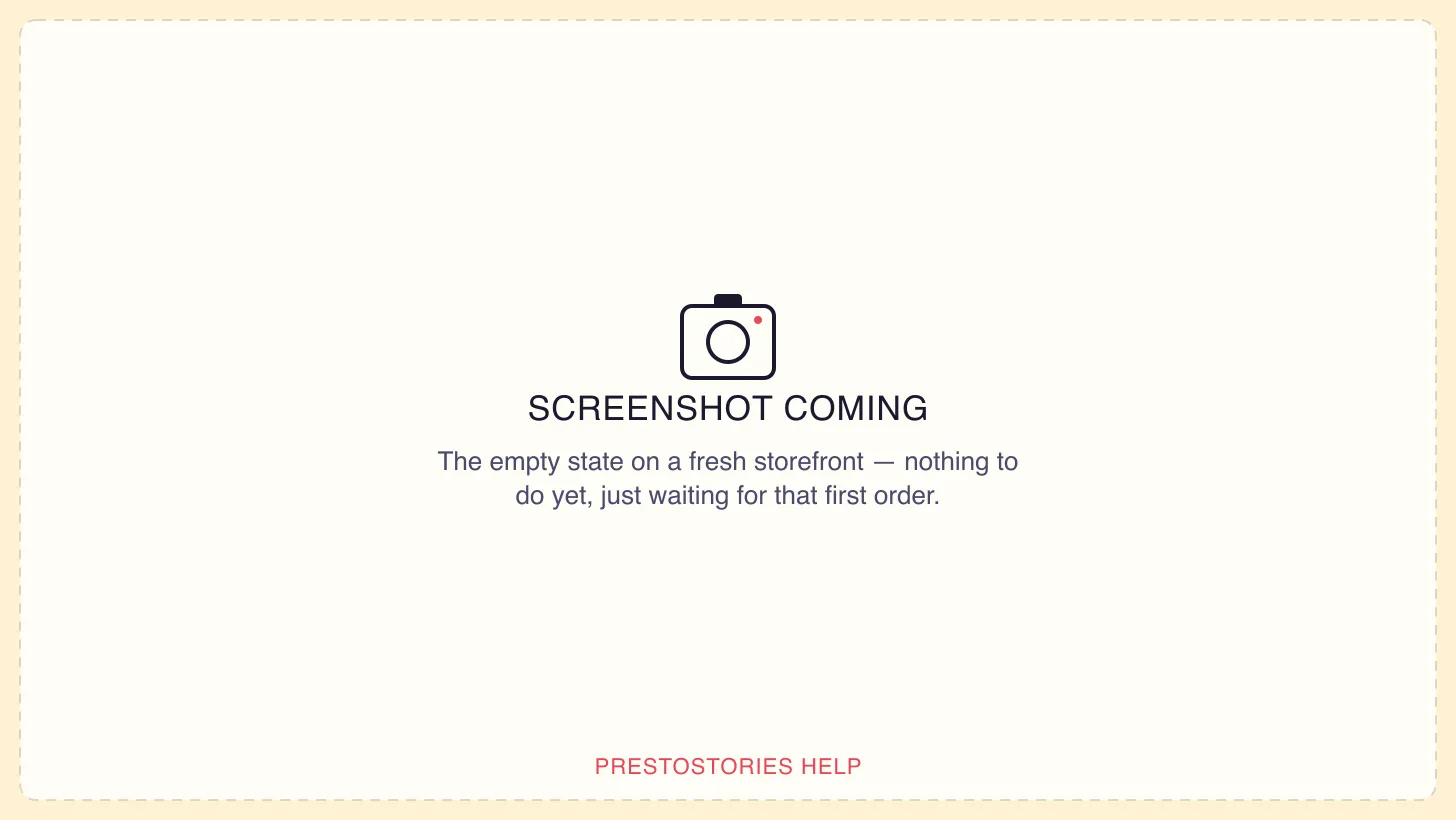
At the top you'll see the title Print orders and a short line reminding you that these are the books families ordered from your organization, and that PrestoStories prints and ships every one. Below that, each order shows up as its own card.
What each order card shows
Every card is one printed book, a square hardcover or softcover copy of one of your storybooks, personalized with a family's own child. On each card you'll find:
- The book title, so you know which storybook was ordered.
- A colored status pill telling you where the order is right now (more on those below).
- A short line with the order date, whether it's
SoftcoverorHardcover, and the price. - A
Customerrow with the buyer's name and their ship-to city and state, for example, Jane Smith · Austin, TX. - A
Trackingrow that appears once the book ships, showing the tracking number.
Reading the status pills
The colored pill on each card tells you exactly where a book is on its way from checkout to delivery. Here's what each one means:
Awaiting Payment, the order was started but payment hasn't cleared yet. This one's still in the waiting room.Under Review, payment came through, and every book starts here. A professional design team reviews the finished story to make sure every page looks right before anything is printed. This is the normal first step, not a problem.Preparing to Print, the review is done and the book is being readied for the printer.Sent to Print, the book has been handed off to the printer.Printing, the printed copy is being produced.Shipped, the book is on its way, and a tracking number now appears on the card.Delivered, the book has arrived at the family's door.Cancelled, the order was cancelled (any refund is handled for you).
The pill colors give you a quick read even before you look at the words: green means delivered, blue means the book is in motion (anywhere from the finished review through shipped), amber means it's waiting (on payment or review), and gray means it was cancelled.
Before your first order: the empty state
If no one has bought a book yet, you'll see a friendly note letting you know the screen is simply waiting, orders show up here as families buy books. That's expected for a brand-new storefront. As soon as your first family orders a printed copy, it will appear here on its own.
You don't have to do anything here
This is a read-only screen, there are no buttons to press and no orders to manage. Once a family buys a book, PrestoStories takes care of the review, the printing, the shipping, and any customer questions. Print orders is here purely so you can follow along and answer a parent who asks "where's my book?", you'll be able to tell them exactly, right from the pill on their order.
Still stuck? Email support@prestostories.com and we'll help.